Your store does well on Google Shopping, and you decide to open Amazon or eBay. That's when you find out the marketplace wants its own categories, attributes your platform never filled in, and that its orders won't show up in your back office on their own.
This is usually when people start looking for a feed management tool. We went through the five tools we recommend for Shopify, PrestaShop, WooCommerce and Magento merchants: what they do well, their real limits, and a verdict by store profile.
Starting from scratch? Begin by opening your Merchant Center account and sending your first feed: every tool in this list plugs into it.
- Only selling through Google? You don't need a tool: your platform's integration and Merchant Center feed rules are enough.
- Sales driven by Google and Meta ads, no marketplace: DataFeedWatch, which you can try free for 15 days.
- You want feeds and campaigns in one place, or you're an agency: Channable.
- Marketplaces bring in a large share of revenue: Shoppingfeed. You're a brand also sold by retailers: Lengow.
- Opening your first marketplace without a dedicated team: BeezUP, for its onboarding support.
The comparison at a glance
The table sums up what really sets the five tools apart. The details, including what each one doesn't do, follow in the reviews below.
| Tool | Best for | Strengths | Limit | Trial |
|---|---|---|---|---|
 |
Brands and retailers on marketplaces and ad channels | Synced orders and stock, price monitoring, reseller visibility tracking | Oversized if you only target Google Shopping | Demo |
 |
Merchants and agencies running feeds, ads and marketplaces | Very flexible rules, automated PPC campaigns, Google CSS | Marketplace orders are a paid add-on | Free, channels unlocked with a subscription |
 |
Merchants with a strong presence on European marketplaces | Orders, repricing, marketplace messages in one inbox | Less advanced on ad profitability | Demo |
 |
Stores that rely on Google Shopping and social ads | Product selection by margin, A/B tests, revenue per product | No marketplace order management | 15-day free trial |
 |
Merchants opening their first marketplaces | Onboarding support, AI attribute mapping | Quarterly or annual commitment | Demo |
How we picked these five tools
We kept the tools that pass three filters. First, connectors for the platforms SMBs use: Shopify, PrestaShop and WooCommerce at a minimum. Then coverage of the channels that matter: Google Shopping, Meta, Amazon and the main European marketplaces. Finally, transformation rules to adapt titles, categories and attributes to each channel without touching the store.
The order is not a ranking. Each tool is the best choice for a specific type of store, and that profile should drive your decision, as the verdict sums up.
You won't find any prices here: they depend on the number of products and channels, and they change often. Only the model (demo, free account, trial) appears in the table.
Do you really need a feed management tool?
Not necessarily. If you only advertise on Google (Shopping, free listings, Performance Max), your platform's official integration and Merchant Center feed rules cover the essentials.
A dedicated tool starts paying off as soon as one of these applies:
- you sell on two or more marketplaces, and orders need to flow back into your back office;
- you advertise on several networks (Google, Meta, Microsoft, TikTok), each requiring a different format;
- your titles or categories need rewriting per channel, without changing them in the store;
- you want to automatically exclude low-margin or out-of-stock products from some campaigns.
An 800-product DIY store sells on Google Shopping and opens eBay. Without a tool, that's 800 extra listings to keep up to date by hand, prices and stock included. With a feed tool, one mapping rule per store category (around forty, say) replaces those 800 manual edits, and stock syncs on its own.
On a small budget: what Merchant Center already does
Before paying for a subscription, look at what Merchant Center does for free. Feed rules change your data as it reaches Google, without touching the store: put the brand at the start of the title, fill in a missing color, fix a category.
Supplemental feeds, fed by a plain Google Sheets file, add information product by product, for example custom labels that isolate your best sellers in campaigns.
Everything you set up in Merchant Center works for Google only. The day you open Meta or Amazon, you have to redo it all by hand. If that second channel is planned within the year, going straight to one of the five tools below saves you from building the same rules twice.
1. Lengow: the full platform for brands and retailers
Lengow is one of the long-standing names in the field in France, and its offer is the broadest of the five. It is split into modules you combine depending on your needs.
- NetAmplify for feeds and ads;
- NetMarkets for marketplaces: orders flow back into the store or the shipping tool, stock updates itself and sales can be tracked by product, category and channel;
- NetRivals for price monitoring and the Buy Box;
- NetMonitor to see how your products appear at the retailers who resell them.
On top of that, the AI (AI Studio) recognizes categories, maps attributes and translates content for foreign channels. Connectors cover Shopify, PrestaShop, WooCommerce, Magento 1 and 2 / Adobe Commerce and Shopware.
All this comes at the cost of complexity. A store that only wants to run Google Shopping will configure a platform far larger than it needs. Lengow really makes sense when price monitoring or reseller tracking is part of the brief, which mostly means brands.
2. Channable: the all-in-one tool for feeds and ads
Channable combines two jobs the others keep apart. On top of feeds and marketplaces, it automates PPC campaigns, creates visuals and offers a CSS (Comparison Shopping Service) for Google Shopping. The company claims more than 17,000 merchants and agencies as customers.

Its real strength is the rule engine, built as "if… then…". You filter, rewrite, enrich or exclude products per channel without writing code, which is exactly what agencies juggling several catalogs like about it. Here is the kind of rule you can set up:
Connectors cover Shopify, WooCommerce (dedicated extension), PrestaShop and Magento / Adobe Commerce. A free account lets you prepare your data before paying anything, with channels unlocked by a subscription.
On the downside, syncing marketplace orders (orders, shipments, cancellations) is a paid add-on. Pricing stacks up a plan, channel bundles and options, and a catalog that outgrows the plan's volume moves you up a tier. For a merchant who just wants to plug in Amazon, that's a lot of tool.
3. Shoppingfeed: the marketplace specialist
Shoppingfeed, now Centric Shoppingfeed since joining Centric Software, is the most marketplace-oriented tool here, with particularly deep coverage of French marketplaces: Amazon, eBay, Cdiscount, La Redoute, Fnac Darty, Back Market, Leroy Merlin, Decathlon or TikTok Shop, plus Google, Meta, Pinterest and price comparison sites.
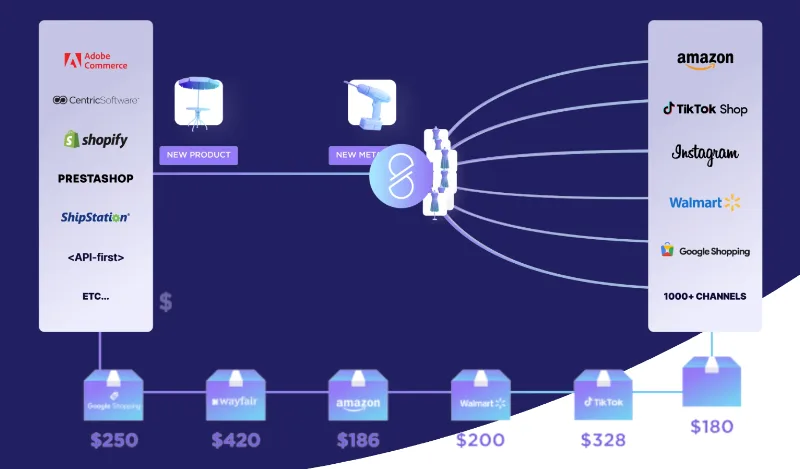
The daily work of a multi-marketplace seller is centralized: catalog, stock, orders, price and Buy Box tracking, repricing. The detail that makes life easier is the customer messaging from the different marketplaces, gathered in a single inbox instead of five open tabs.
The AI categorizes listings and checks their compliance channel by channel. Connectors cover PrestaShop, Shopify, WooCommerce, Magento / Adobe Commerce and BigCommerce, with ERP and PIM integrations. Coming from a competitor? The company handles the migration.
If your sales come mostly from Shopping ads and social media, it is not the sharpest tool: DataFeedWatch and Channable go further on campaign profitability, with title tests and revenue per product.
4. DataFeedWatch: optimizing ad feeds
DataFeedWatch doesn't try to do everything. It focuses on what makes a product ad profitable, feed quality and the choice of products you advertise, on Google Shopping, Meta, Microsoft Advertising, Pinterest or TikTok.
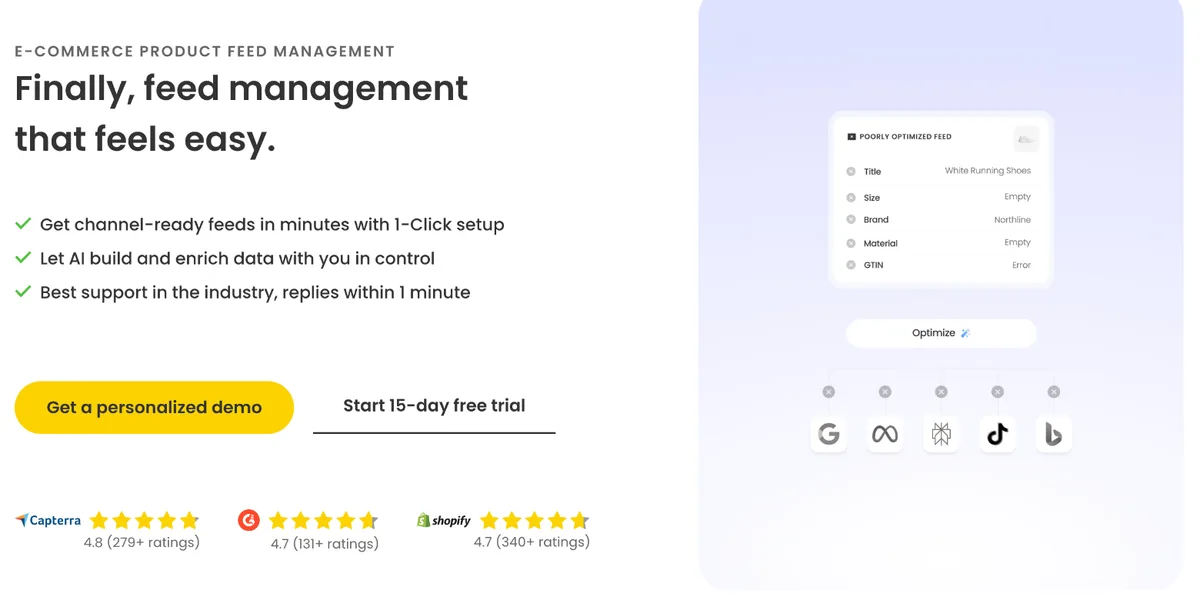
In practice, the tool works on three levers:
- Product selection: include or exclude products by price, margin, season or stock, and set custom labels to segment campaigns.
- Measurement: A/B tests on titles, feed quality review, cost and revenue per product and per channel.
- AI: titles and descriptions generated in about ten languages.
It's the easiest tool to try: 15 days free, with every feature unlocked. To make the trial count, connect your real catalog on day one and run a title A/B test on your best-selling category: two weeks are enough to see whether the tool saves you time.
The limit is clear-cut: no marketplace order management at all. The day you open Amazon or eBay, you'll need a second tool, or a different one.
5. BeezUP: feed management with onboarding support
BeezUP bets on people: depending on the plan, the team spends up to five hours getting you started. For a merchant opening a first marketplace with nobody in-house to run it, that's a concrete argument. Channels include marketplaces (Amazon, eBay, Cdiscount, ManoMano, Fnac, Darty, Carrefour, Leroy Merlin, Kaufland, bol), price comparison sites, affiliation and retargeting.
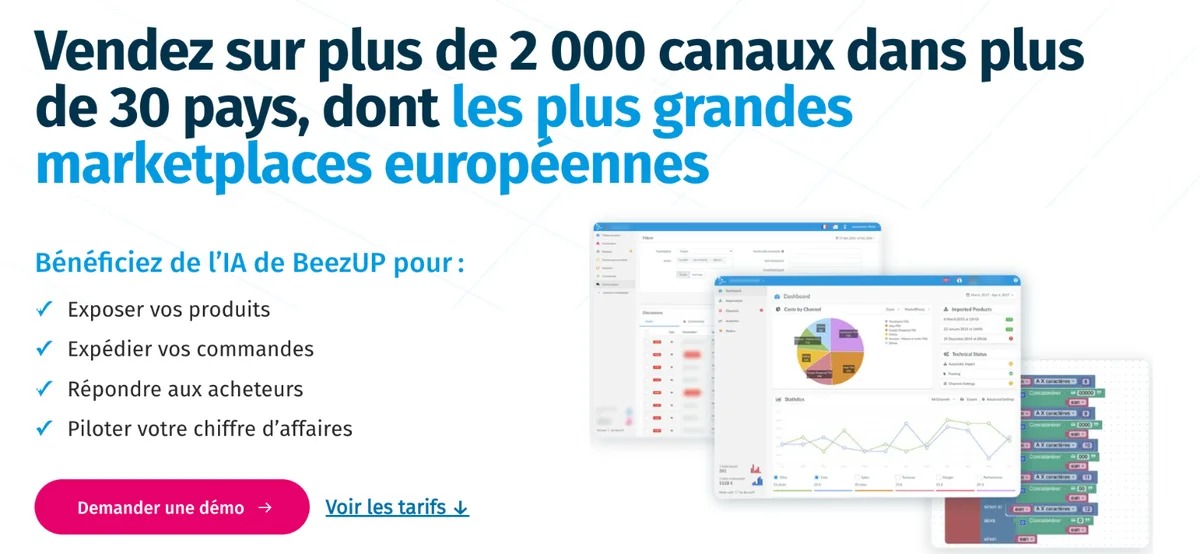
The AI matches your product characteristics to the attributes each channel expects, often the most tedious step when opening a new marketplace. Orders, stock and messages are centralized, with near real-time publishing on the most complete plan (FlyUP).
The subscription commits you for a quarter or a year, which leaves little room to experiment. And the connectors highlighted are limited to Shopify, PrestaShop and WooCommerce: get the connector for your own platform confirmed in writing before committing.
Our verdict by store profile
Start from your current sales channels and the ones you plan to open within the year, not from the number of integrations each vendor advertises: thousands of connectors are useless if your main marketplace is poorly handled.
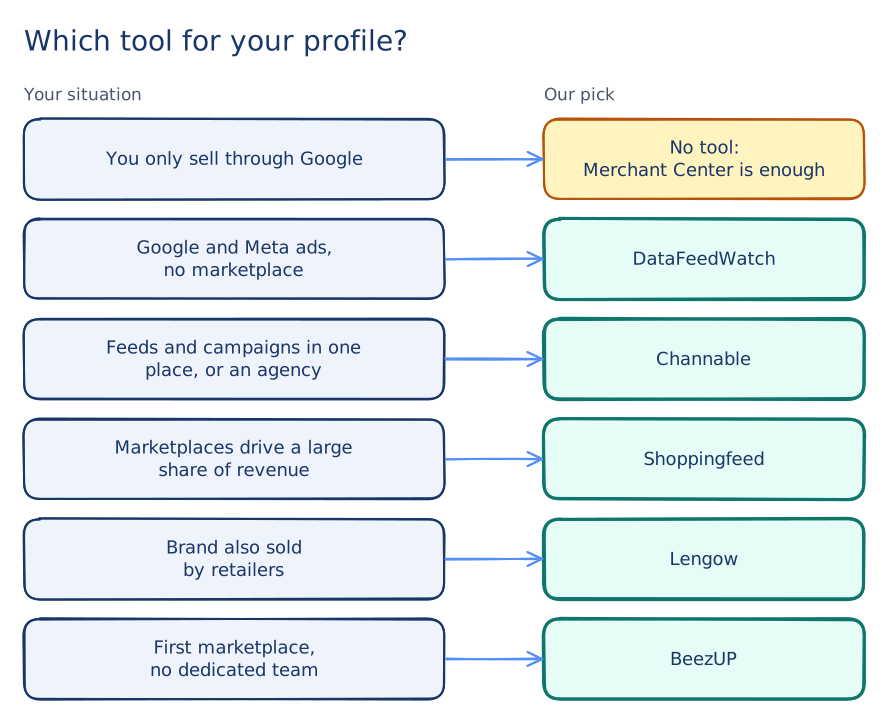
- You only sell through Google: no tool for now. Your platform's Google app and Merchant Center rules are enough, and you keep the budget for the day a second channel comes along.
- Your sales come mostly from Google Ads and Meta, with no marketplace: DataFeedWatch. It's also the lowest-risk option, since you judge it on your own catalog during the trial.
- You want feeds and campaigns in one place, or you're an agency: Channable, for its rule engine and automated campaigns.
- Marketplaces make up a large share of your revenue: Shoppingfeed, for messaging and repricing in one tool.
- You're a brand also sold by retailers: Lengow, with NetMonitor to track your products at resellers and NetRivals for prices.
- You're opening your first marketplace without a dedicated team: BeezUP, if the commitment period doesn't bother you.
What to check during the demo
Three of the five tools work through a demo. That's your chance to judge them on your catalog rather than on their sales pitch. Prepare the list of your channels, your product count (variants included) and an export of your Merchant Center errors.
- Ask for the category mapping of your main marketplace, on your own products
- Have them show how long an order takes to reach your back office
- Get the connector for your platform and its version confirmed
- Choose based on the number of connectors advertised
- Judge the tool on a demo catalog
- Sign an annual commitment before seeing a real order go through
A clean feed also helps your site search
The work done in a feed tool benefits external channels first: more complete titles, filled-in attributes, accurate categories. That same data decides what your own search engine can find.
A title that mentions color, material and use answers "black leather laptop bag" better, on Google Shopping and in your site's search bar alike. And use-case queries are precisely the ones that trip up the most search engines: 43% of sites fail on use-case queries (Baymard Institute, 2026).
That's why Vectail imports the catalog from Google Merchant Center: when you fix your feed for Shopping, your site search benefits with no duplicate data entry. Our article on Merchant Center and site search covers the attributes that matter, and the one on product data quality lists the listing flaws that hurt results the most.
Your checklist
- List your current channels and the ones planned within the year
- Google only: make the most of Merchant Center feed rules and supplemental feeds first
- Two channels or more: pick the tool by store profile, not by connector count
- Prepare your product count (variants included) and your Merchant Center error export
- See the category mapping for your main marketplace during the demo
- Get your platform's connector confirmed before committing
- Use the cleaned-up feed to check your site search too
Frequently asked questions
What is a product feed management tool?
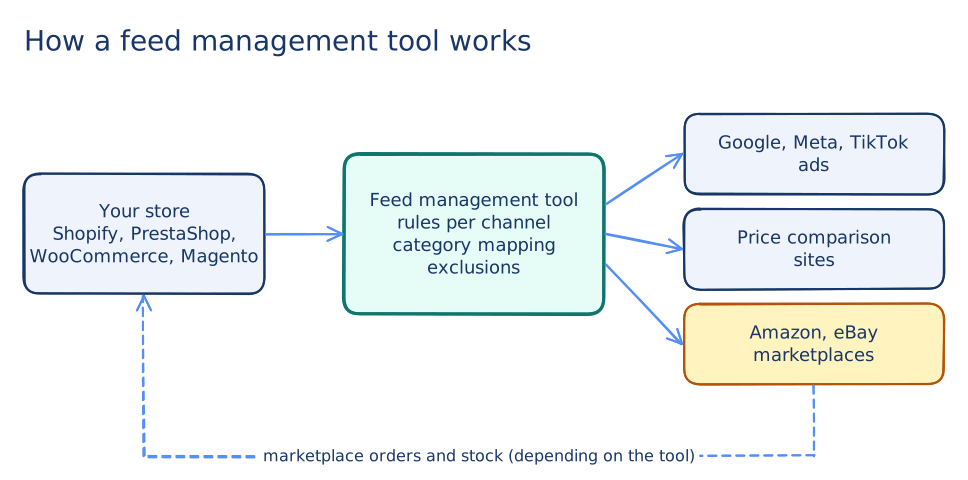
It is a tool that pulls your store's catalog and reformats it for each channel (Google Shopping, Meta, Amazon, price comparison sites) by applying rules: title rewriting, category mapping, product exclusions. Some also manage marketplace orders and stock.
Lengow or Channable?
Lengow is more marketplace-oriented, with modules for price monitoring and reseller tracking. Channable also covers marketplaces but stands out on advertising: automated PPC campaigns, CSS service and creative production. The choice depends on what drives most of your sales.
Do you need a feed tool for Google Shopping?
No, if Google is your only channel: your platform's official integration and Merchant Center feed rules are enough in most cases. A dedicated tool makes sense once you add marketplaces or other ad networks, or when you want fine control over titles and the products you advertise.
Is there a free feed management tool?
For Google only, yes: Merchant Center feed rules and supplemental feeds are free. Among the five tools in this comparison, Channable offers a free account to prepare your data, with channels unlocked by a subscription, and DataFeedWatch a 15-day trial. The others work through a demo.
Sources
- Baymard Institute, Ecommerce Search UX Best Practices, 2026.
Your Merchant Center feed can power your search too
Vectail imports your catalog from Google Merchant Center and adds a search powered by Google Vertex AI to your site: results shown as you type, natural language understanding, typo tolerance. One line of code, no plugin.
Start free - 14 days, no credit card